

Flocabulary Now Supports Class Rostering with Google Classroom
Google Classroom is a learning platform that integrates with schools that use the Google Apps for Education (GAFE) ecosystem, and a lot of teachers have rosters of their students set up in Classroom already.[/vc_column_text][/vc_column][/vc_row][vc_row][vc_column][vcex_icon_box heading=”What Does This Mean for Me?” icon=”fa fa-bookmark” heading_color=”#181828″ heading_size=”22px” icon_color=”#286fdc”][/vcex_icon_box][vc_column_text]Instead of setting up classes in both Flocabulary and Google Classroom, teachers on school-wide subscriptions can now easily create accounts for all of their students, with no need for class codes!
What’s more, students can then use Google Single Sign-On to access Flocab in the future. This means no required account setup steps of your students, at all. Zip. Zilch. Nada. Ain’t that something?[/vc_column_text][vcex_spacing size=”20px”][/vc_column][/vc_row][vc_row][vc_column][vcex_icon_box heading=”How It Works” icon=”fa fa-bookmark” heading_color=”#181828″ heading_size=”22px” icon_color=”#286fdc”][/vcex_icon_box][vc_column_text]1. Go to the “My Classes” tab from the top navigation:
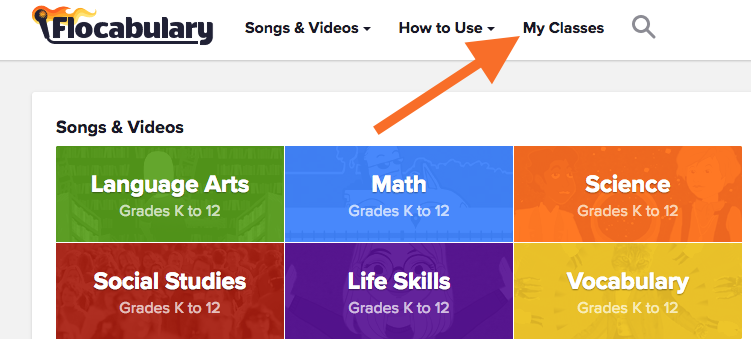
[/vc_column_text][vc_column_text]2. Select the green “Import Classes” button:
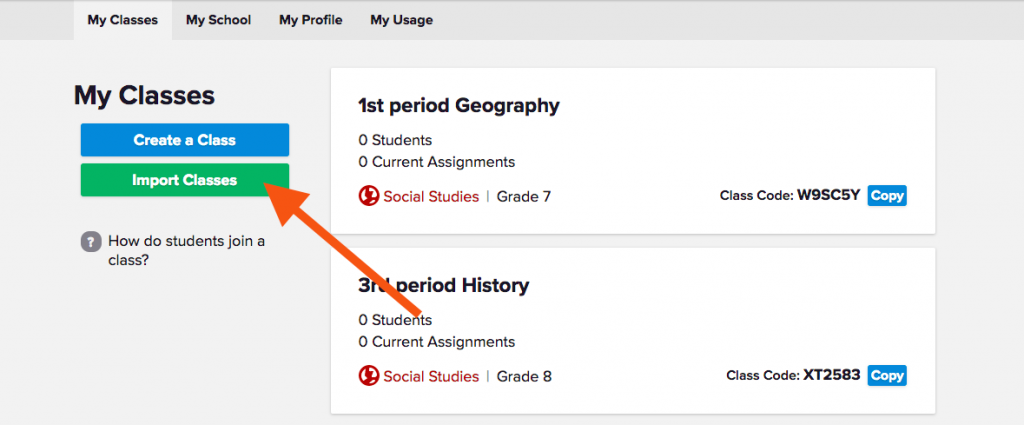
[/vc_column_text][vc_column_text]3. Stay with us, here: you’ll see two pop-ups appear (make sure pop-ups are enabled on your browser!).[/vc_column_text][vcex_spacing size=”15px”][vc_row_inner][vc_column_inner width=”1/2″][vc_single_image image=”11739″][/vc_column_inner][vc_column_inner width=”1/2″][vc_empty_space height=”10px”][vc_single_image image=”11741″][/vc_column_inner][/vc_row_inner][vc_column_text]
A. From the pop-up with the list of emails, select the email address associated with your Google Classroom account:

B. Then, grant Flocabulary permission to access your Google Classroom information:
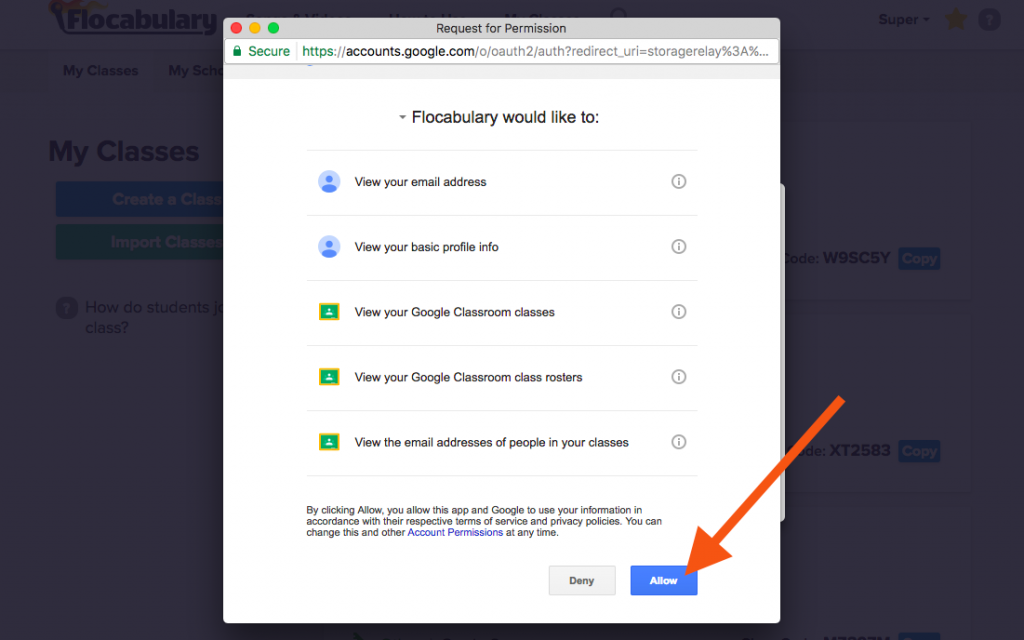
 [/vc_column_text][vcex_spacing size=”15px”][vc_column_text]5. Give it a sec—when the import is complete, we’ll give you the green light (or, err, box):
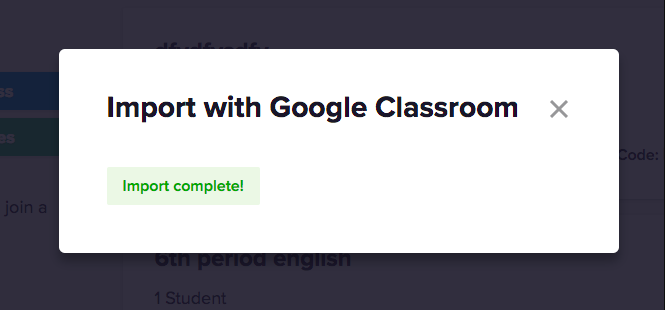 [/vc_column_text][vcex_spacing size=”15px”][vc_column_text]6. Once the class has processed, close out of the window and, voilà! Your Google Class is now in Flocabulary:

We’re looking to build out more integrations with Google Classroom, and your feedback will inform when (or even if!) that happens. Click the big orange “Feedback?” button in the bottom-right corner of any Flocab screen and let us know:
 What are your general impressions on our Google Classroom integration?
- How can we improve it?
- What else do you want to see?